Meet Sheets
MAC · WINDOWS · FREE
Point it at a SportSystems meet folder and get a start list, timekeeper sheets or combined results as a print-ready PDF.
First public release coming soon.
Meet Sheets runs on a Mac or Windows PC. Open this page on the computer you use at meets.
Portable: no installer, no administrator rights, and it works with no internet connection. Needs a SportSystems v5 meet folder with a reports folder inside.

Three sheets every meet needs
Each one replaces a SportSystems Word macro. Save it as a PDF for the meet's web pages, or send it straight to the printer. Shown here with a made-up demo meet.
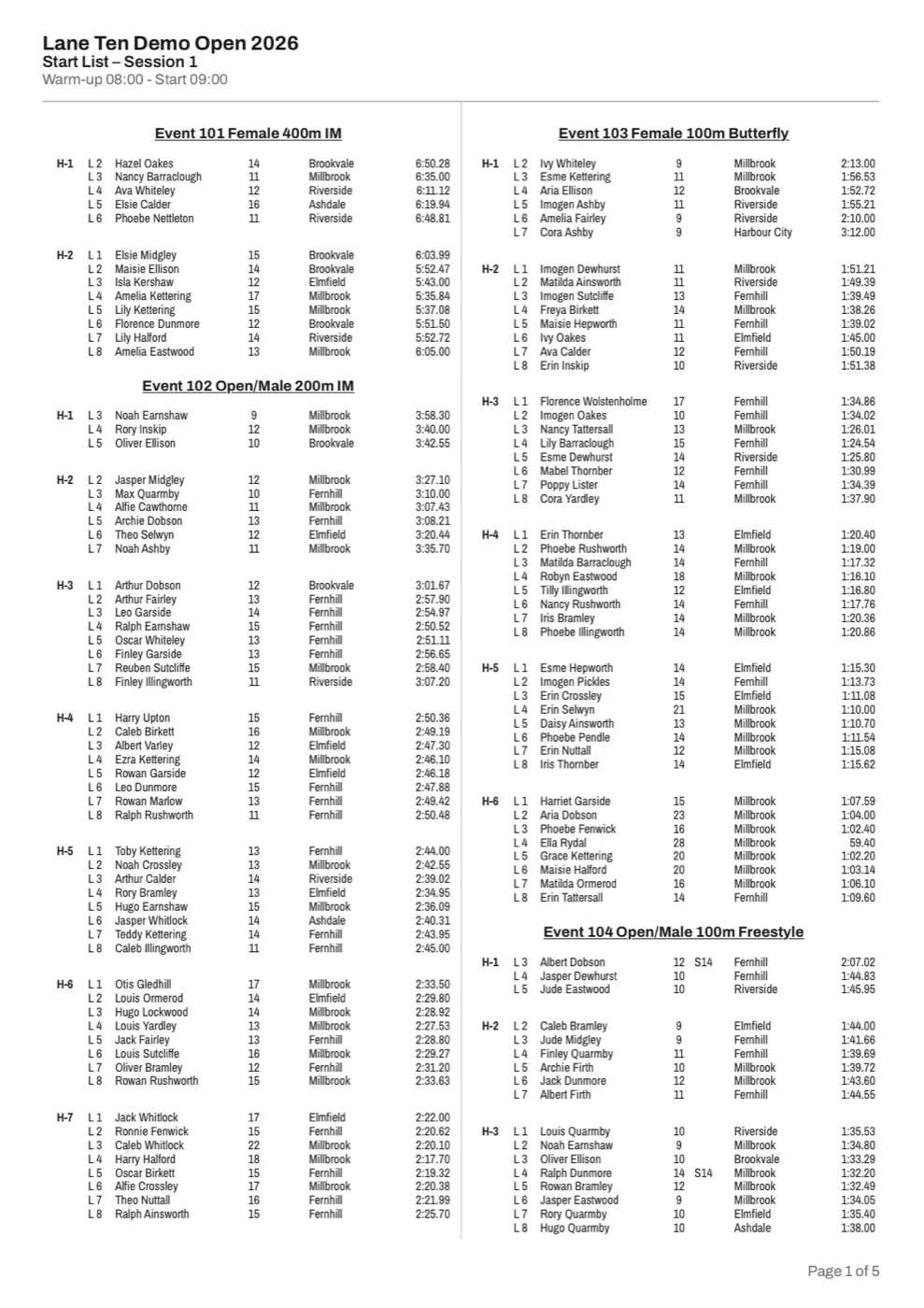
Start lists
A whole session on A4, with relays, reserves, finals rounds and para classes.
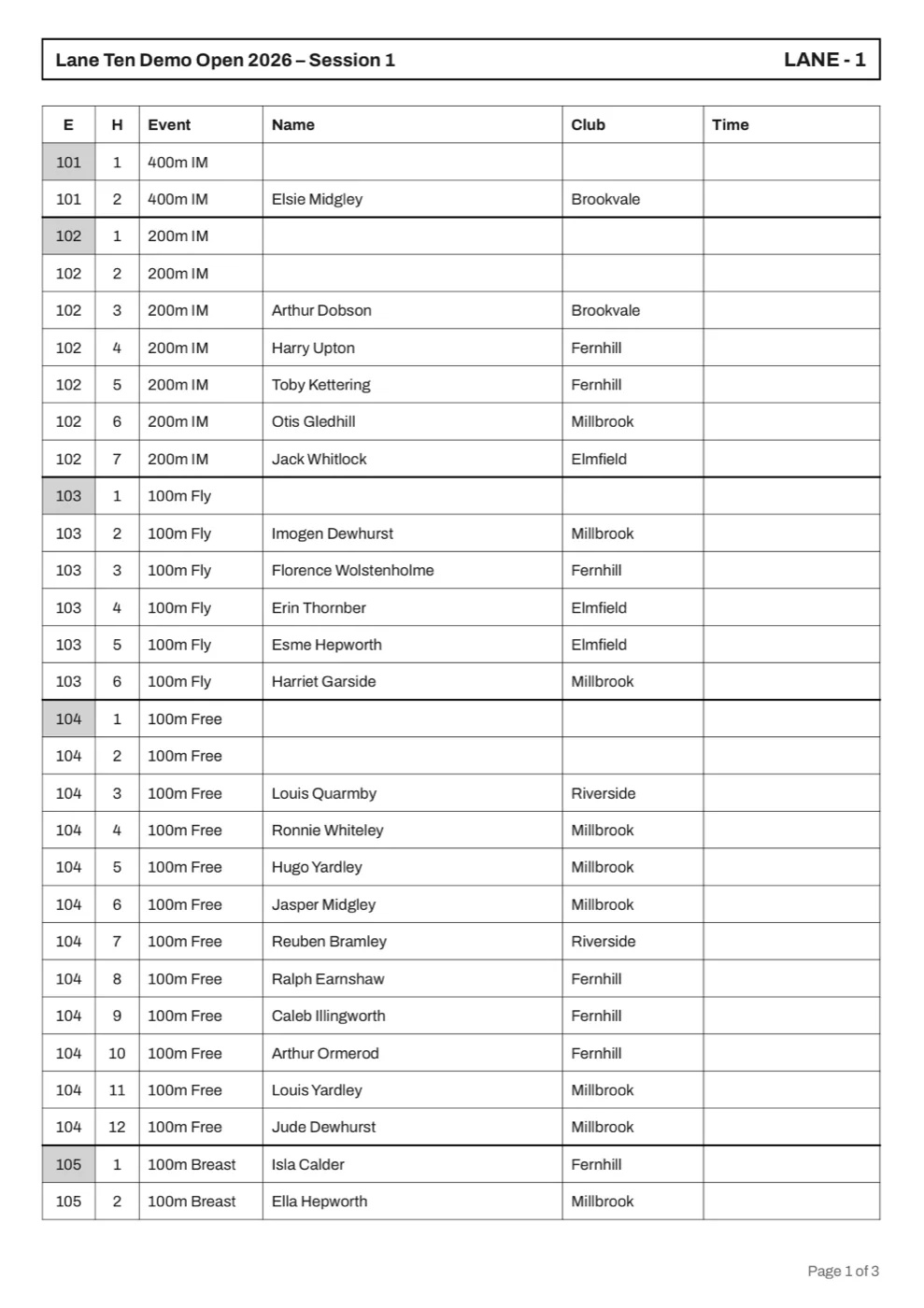
Timekeeper sheets
One page per lane for the session, with lap boxes for freestyle swims of 400m and over.
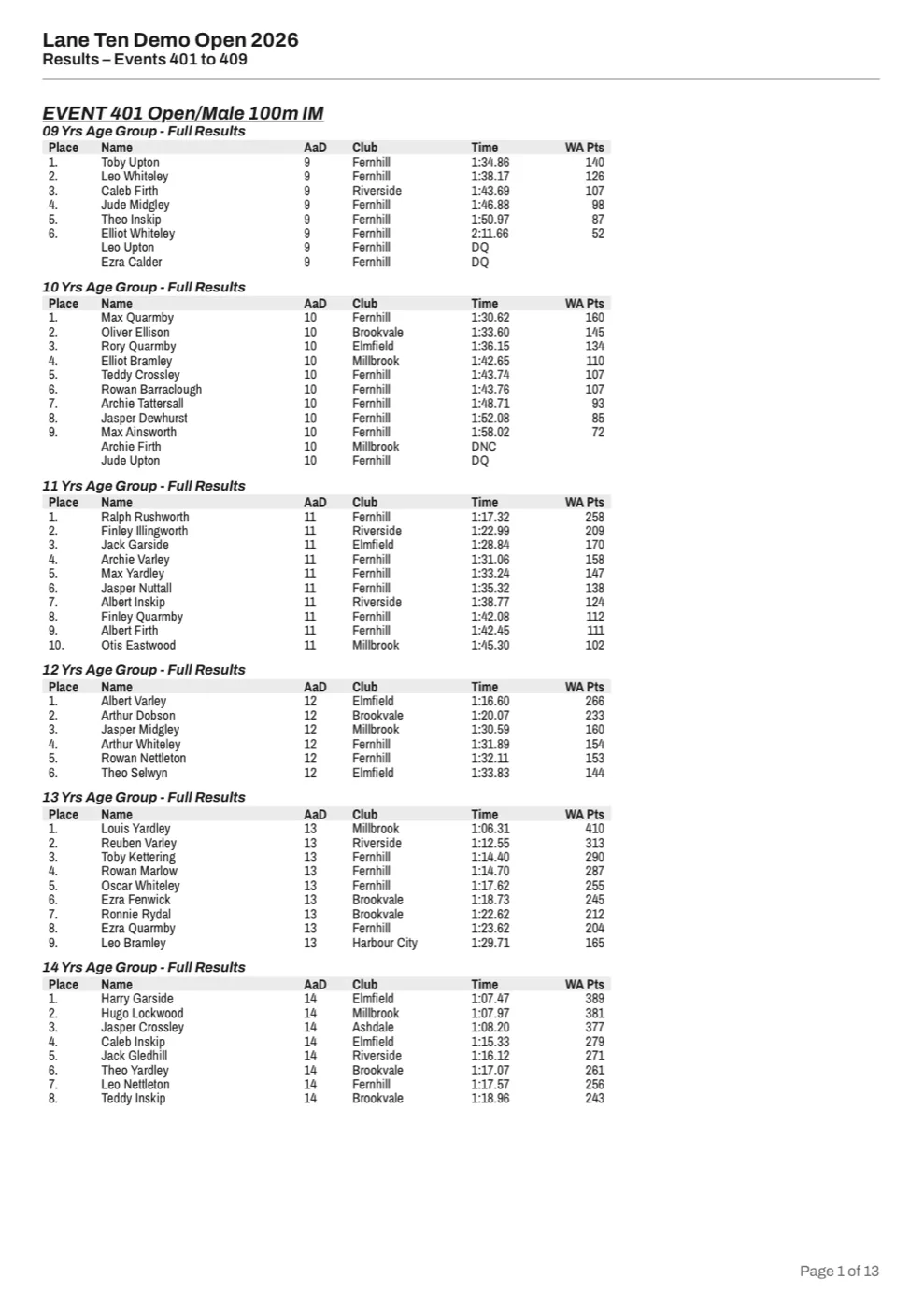
Combined results
Any range of events in one PDF, with splits, relay legs and DQ, DNC, DNS and DNF rows.
From meet folder to printer
-
Choose the meet folder
Open the app and click Choose meet folder…. Pick the meet's own folder, the one with
reportsandwebpagesinside. Then choose what you want to make.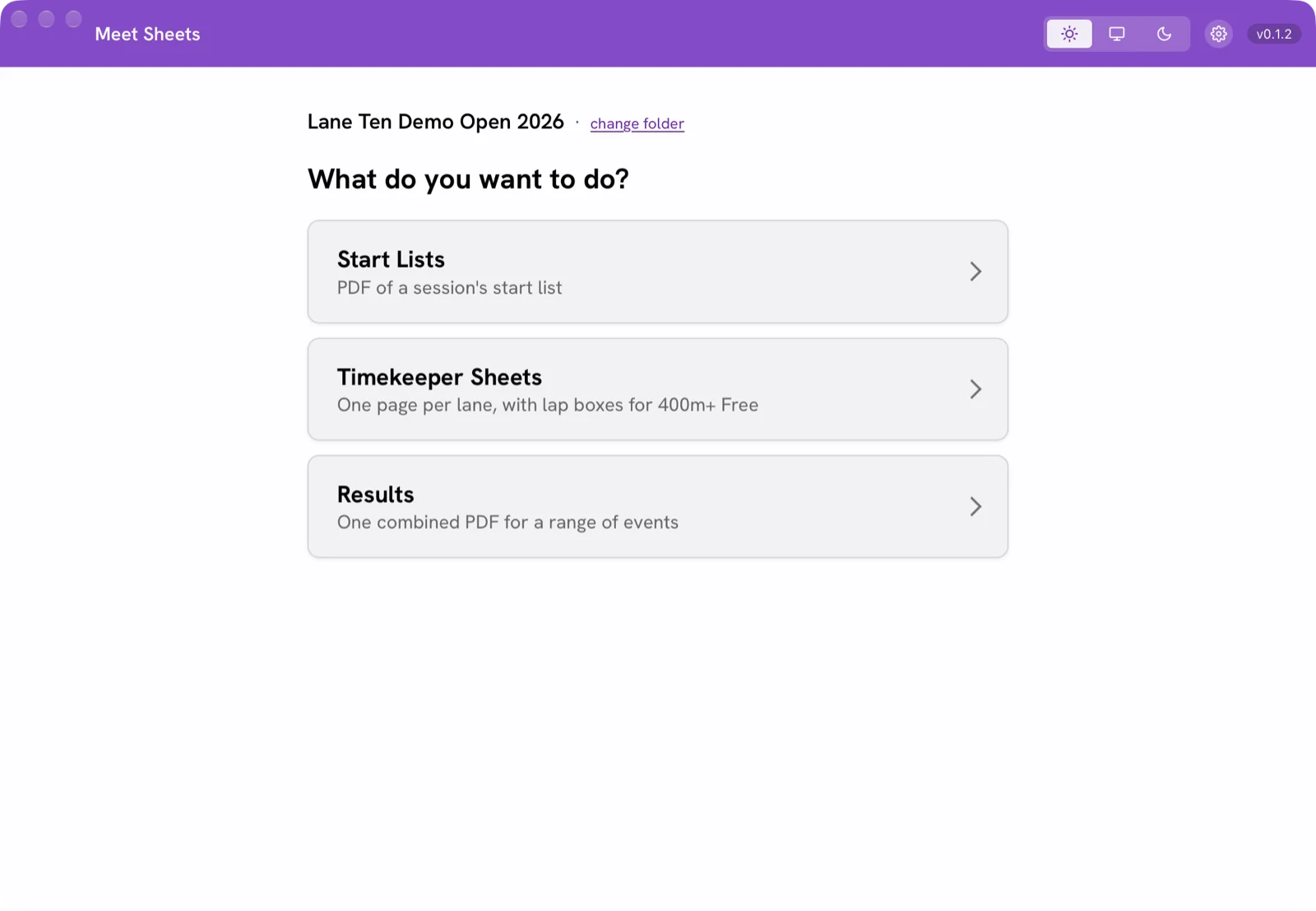
-
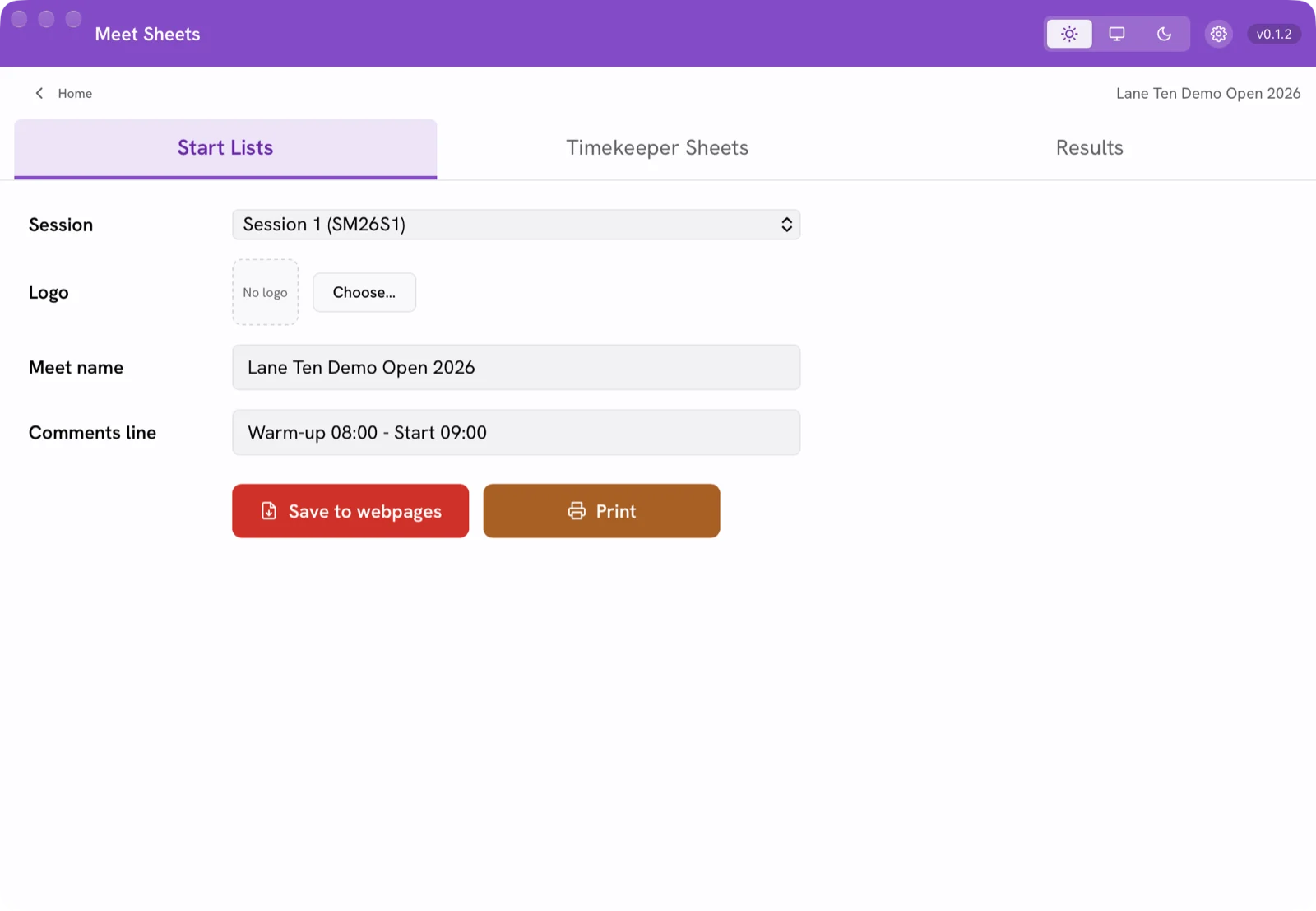
Start lists
- Pick the session.
- Add a logo if you like (PNG, JPG or SVG).
- The meet name comes from the start list; type over it if you want.
- Add a comments line, such as warm-up and start times.
Your logo, meet name and comments are remembered for this meet.
-
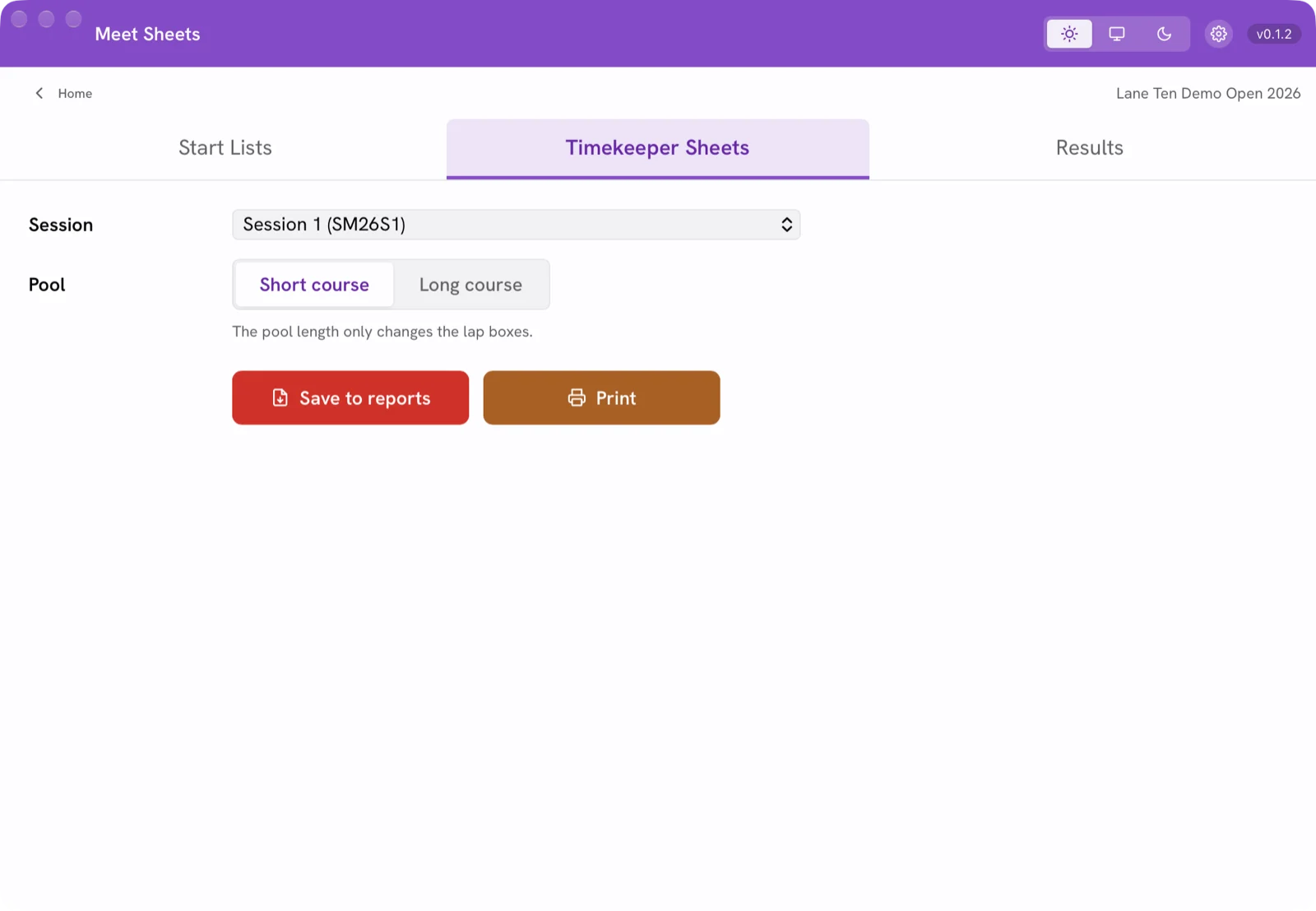
Timekeeper sheets
Pick the session and the pool: Short course or Long course. The pool only changes the lap boxes, and it starts on short course every time, so check it before printing.
-
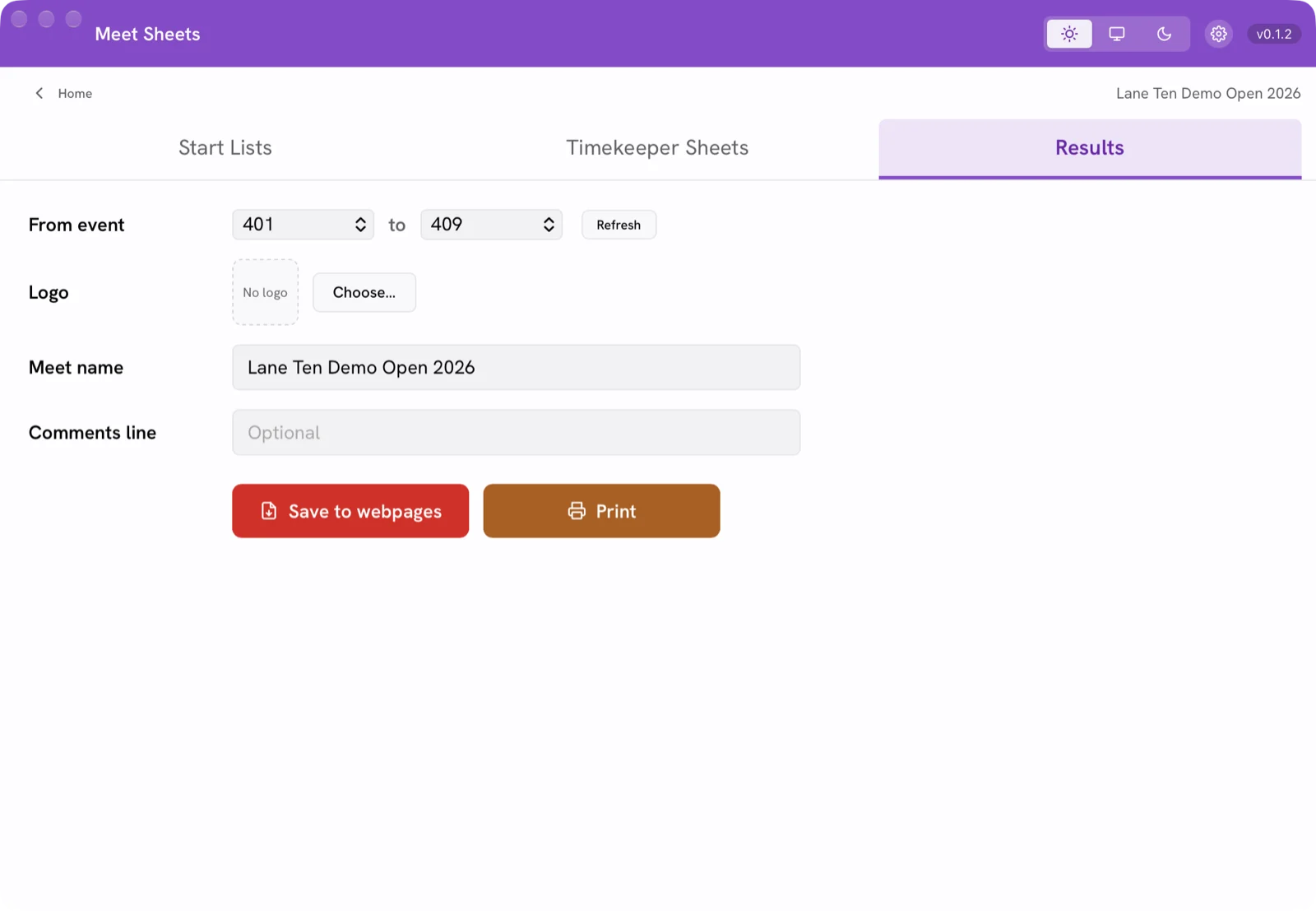
Results
Choose the from and to events. They start on the newest session with results and follow new results as they arrive. Press Refresh as each event finishes.
An event whose results are still being written is left out, and the app tells you which.
-
Save or print
Save opens the normal Save dialog in the right folder, with a sensible name:
start1.pdf,result4.pdforSM26S1-TK.pdf. Print opens the print dialog. Nothing prints by itself.Good to know
- It only reads the start lists and results in the meet's
reportsfolder. It never changes anything SportSystems wrote. - It re-reads the folder each time you switch tab, so new results appear without restarting.
- Fonts are built in, so the PDFs look the same on every computer.
- Light, dark or system theme. Click the version number for what's new.
- It only reads the start lists and results in the meet's


Opening it the first time
Mac
- Open the downloaded
Meet-Sheets-mac.zipto unzip it. - Move Meet Sheets to Applications, or anywhere you like.
- Double-click it. macOS asks once whether to open an app from the internet: click Open.
Signed and notarised by Apple. Needs a Mac with Apple silicon (M1 or later).
Windows
- Save
Meet-Sheets-windows.exeanywhere. A USB stick is fine; there's nothing to install. - Double-click it.
- If Windows says "Windows protected your PC", click More info, then Run anyway.
Windows 10 and 11 already include WebView2, which the app needs.
Usage stats: what it sends, and how to stop it
When you save or print a PDF, the app sends a tiny note: the meet name on the PDF, the date and time, which sheet, Save or Print, the app version, Windows or Mac, and a random code for the computer. Nothing about swimmers, clubs, results or your files is ever sent, and the internet address isn't kept.
Turn it off in Settings (the gear) → Send usage stats. Full privacy details.